Process mapping for Android
Draw how the work gets done. See what every run costs.
Spree Business Process Mapper turns a process into a flowchart you build with your finger. Give each step a duration, a cost and a responsible person. The app adds it up, flags the bottlenecks and lets you test a better version before you change anything in real life.
Coming soon to Google Play
- Free
- No account
- Works offline
- No ads
-
Map
-
Analyse
-
Improve
01 · Map
Seven blocks, placed by touch
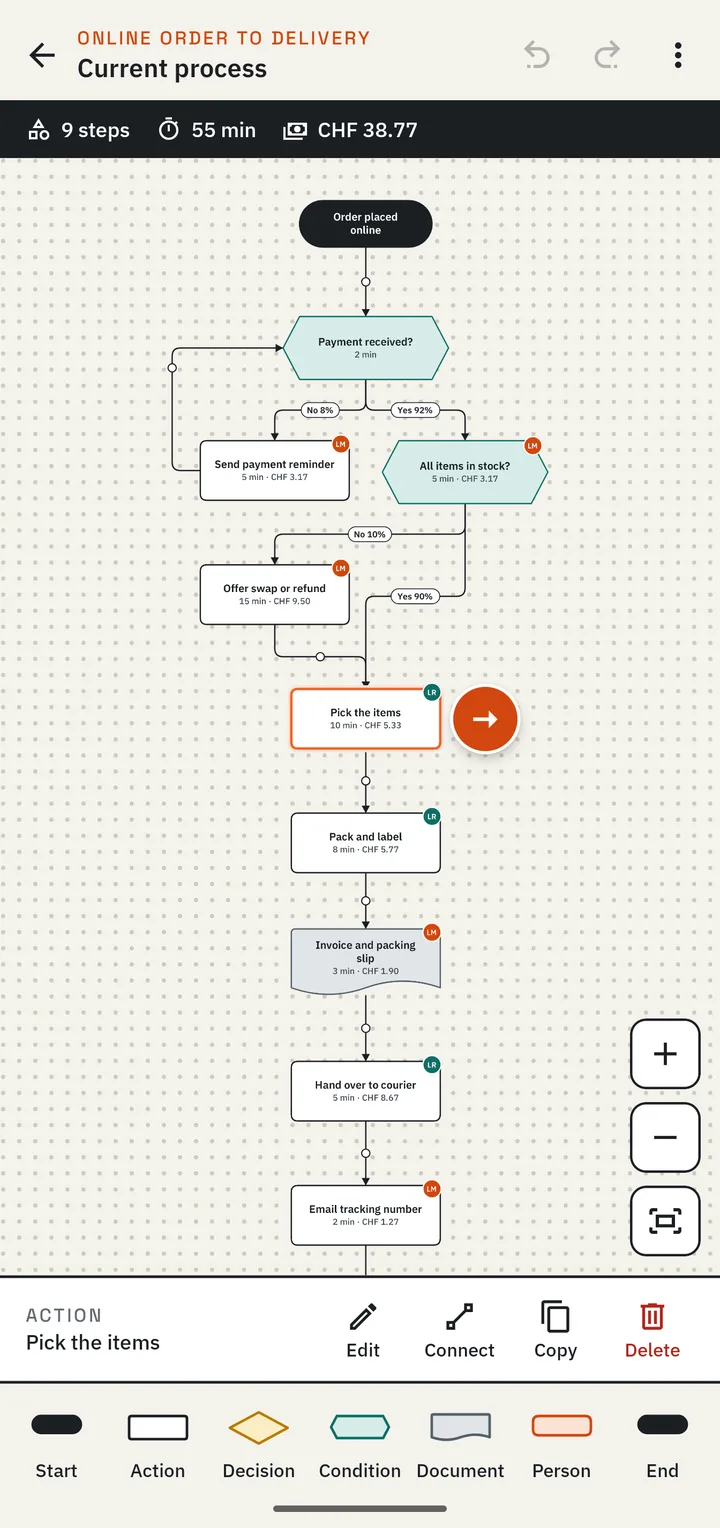
No modelling course needed. The whole vocabulary is seven shapes, and each one means what it says.
- Start
- Where the process begins.
- Action
- A task somebody does.
- Decision
- A choice a person makes: yes or no.
- Condition
- A rule that is checked: in stock, over a limit.
- Document
- A document that is created or needed.
- Person
- A responsible person or a hand-over.
- End
- A result of the process.
- Add
- Tap a block in the tray and it lands under the selected one, already connected. Or drag it anywhere on the canvas.
- Connect
- Drag the round arrow handle onto the next block. Label the arrow Yes, No or with your own words.
- Arrange
- Move blocks, pan, pinch to zoom, or let one tap tidy the whole layout.
- Undo
- Every change in the editor can be undone and redone.
02 · Measure
Every step gets a time, a cost and a name
Enter how long a step takes in minutes, hours or work days, what it costs in materials or fees, and who does it. The person’s time is priced at their hourly rate.
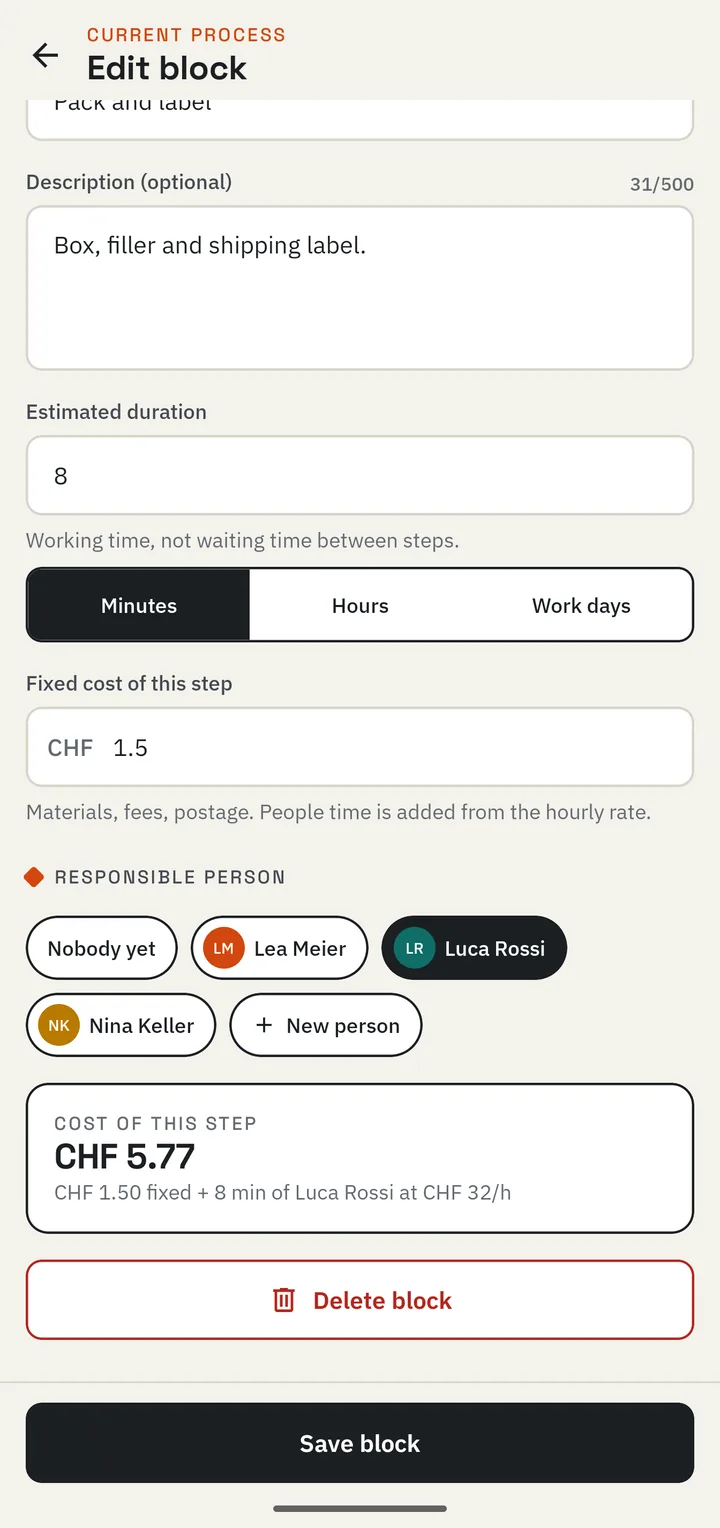
What the app adds up for you
- Total time and cost
- Every step counted once.
- Longest route
- The slowest way from Start to an End: what a worst-case run takes.
- Average run
- Give the arrows a share, such as Yes 70% and No 30%, and each branch is weighted by it.
- Hand-overs
- Arrows between steps with different people: the places where work waits or gets lost.
The totals sit above the canvas and change with every block you add or edit.
03 · Analyse
Find the step that holds everything up
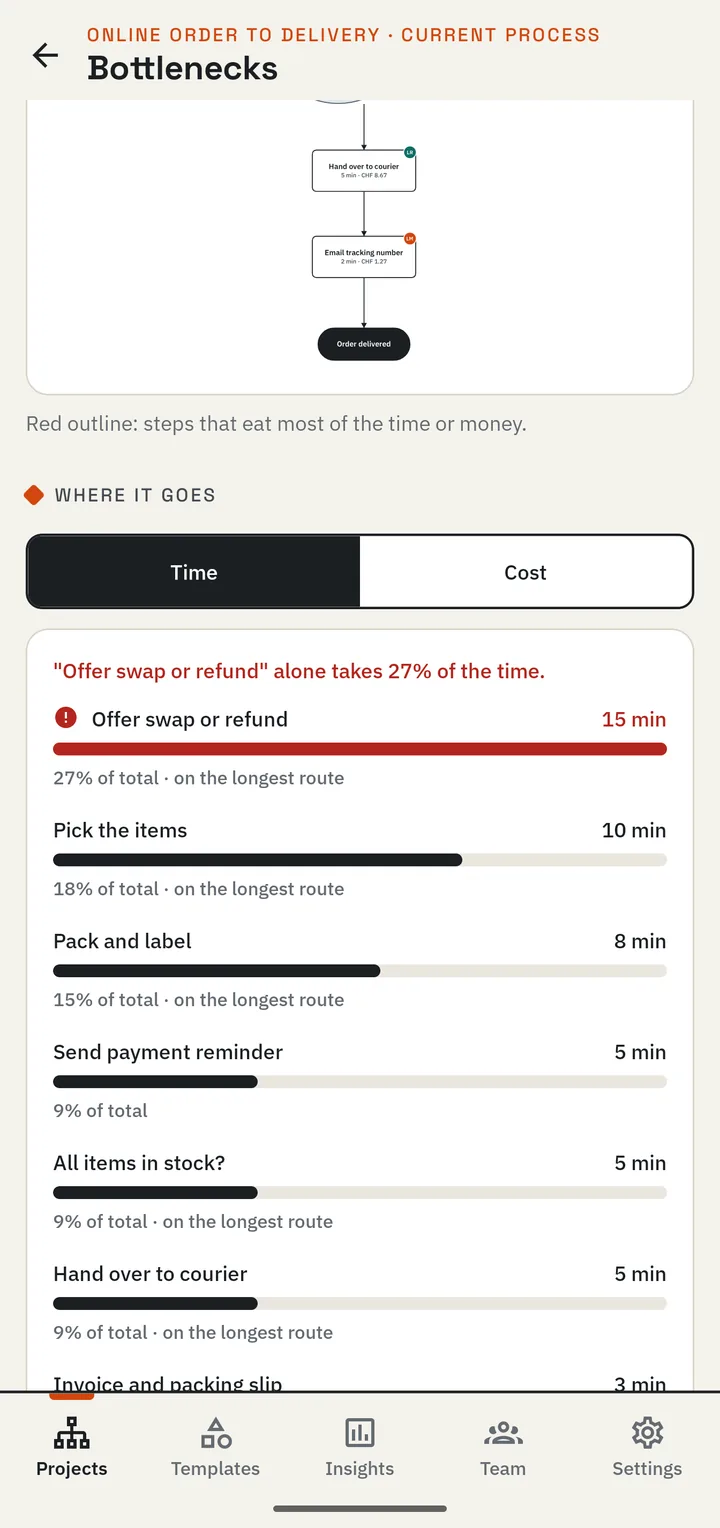
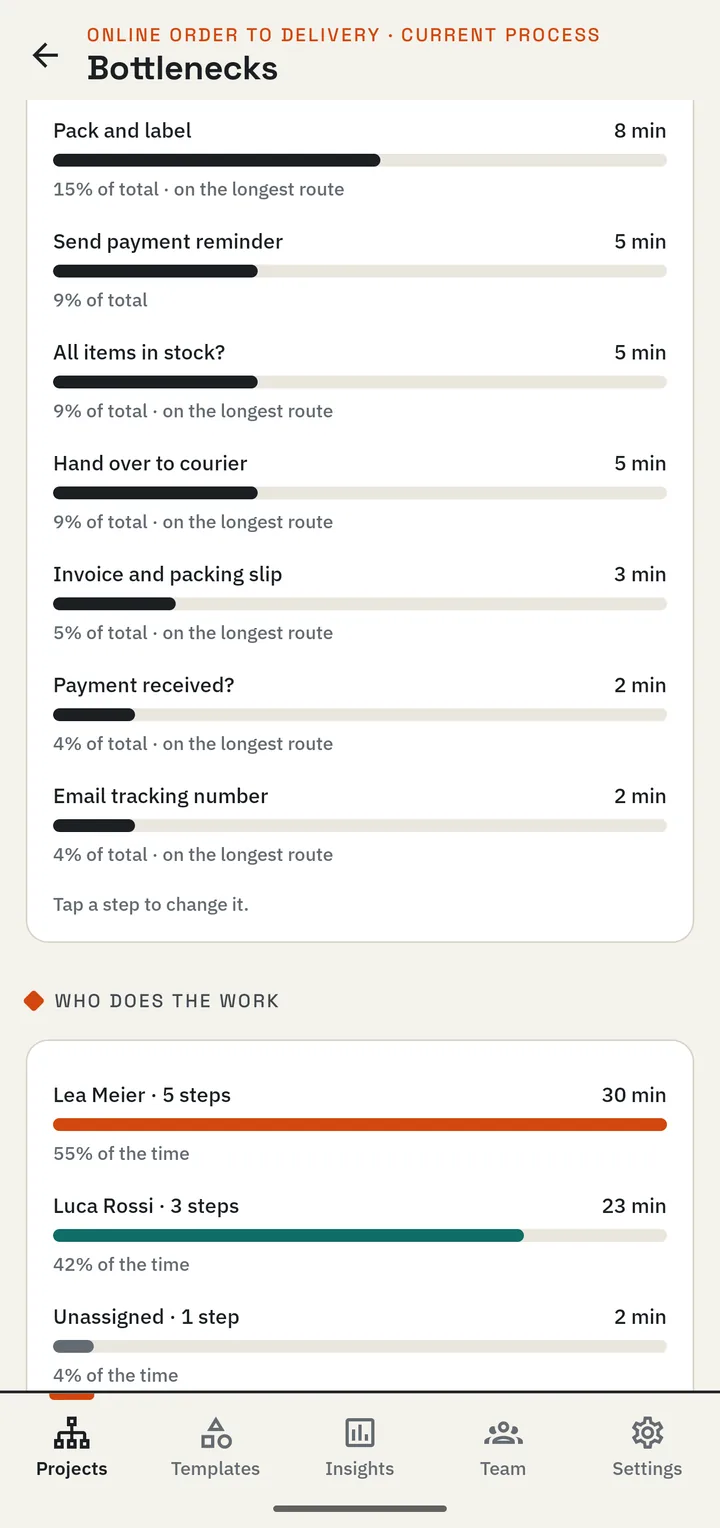
Steps that take the largest share of the time or the money are flagged in red, in the ranking and on the map itself. You decide where the limit lies.
- Ranking of all steps by time or by cost, with each one’s share of the total
- The longest route from start to end, highlighted on the map
- Workload per person and the number of hand-overs
It also proofreads the map
Before you trust the figures, the app lists what is still missing:
- no Start or no End
- blocks that nothing connects to
- dead ends
- decisions with only one way out
- outcomes without a label
- branch shares that do not add up to 100%
- steps without a person or an estimate
- rework loops
04 · Improve
Test a better version before you change anything
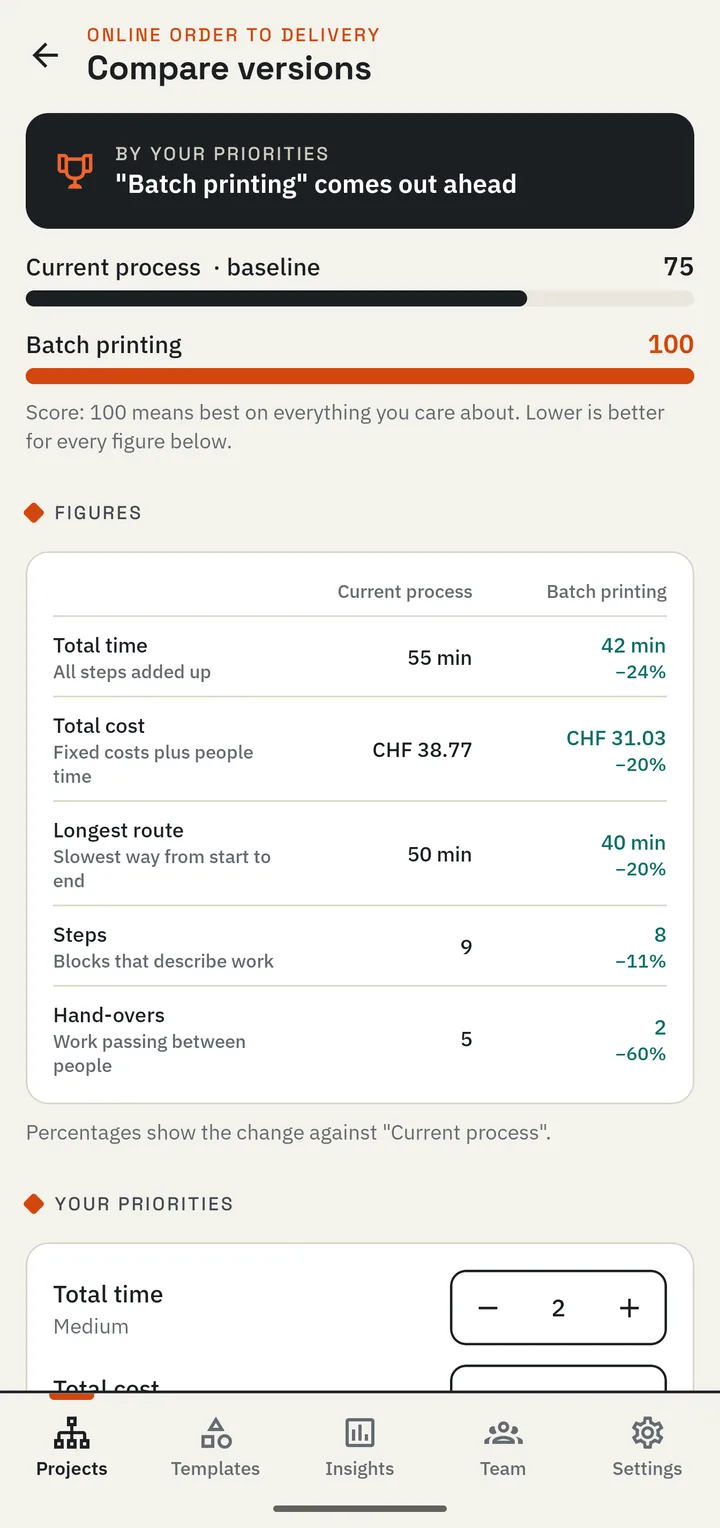
A new version starts as a copy. Remove a step, shorten one, give it to someone else, then put both versions side by side.
Tell the app what matters most to you, from Ignore to High for each figure, and every version gets a score from 0 to 100. Make the better one your new baseline.
| Figure | Current process | Batch printing | Change |
|---|---|---|---|
| Total time | 55 min | 42 min | −24% |
| Total cost | CHF 38.77 | CHF 31.03 | −20% |
| Longest route | 50 min | 40 min | −20% |
| Steps | 9 | 8 | −11% |
| Hand-overs | 5 | 2 | −60% |
| Score | 75 | 100 |
05 · Templates
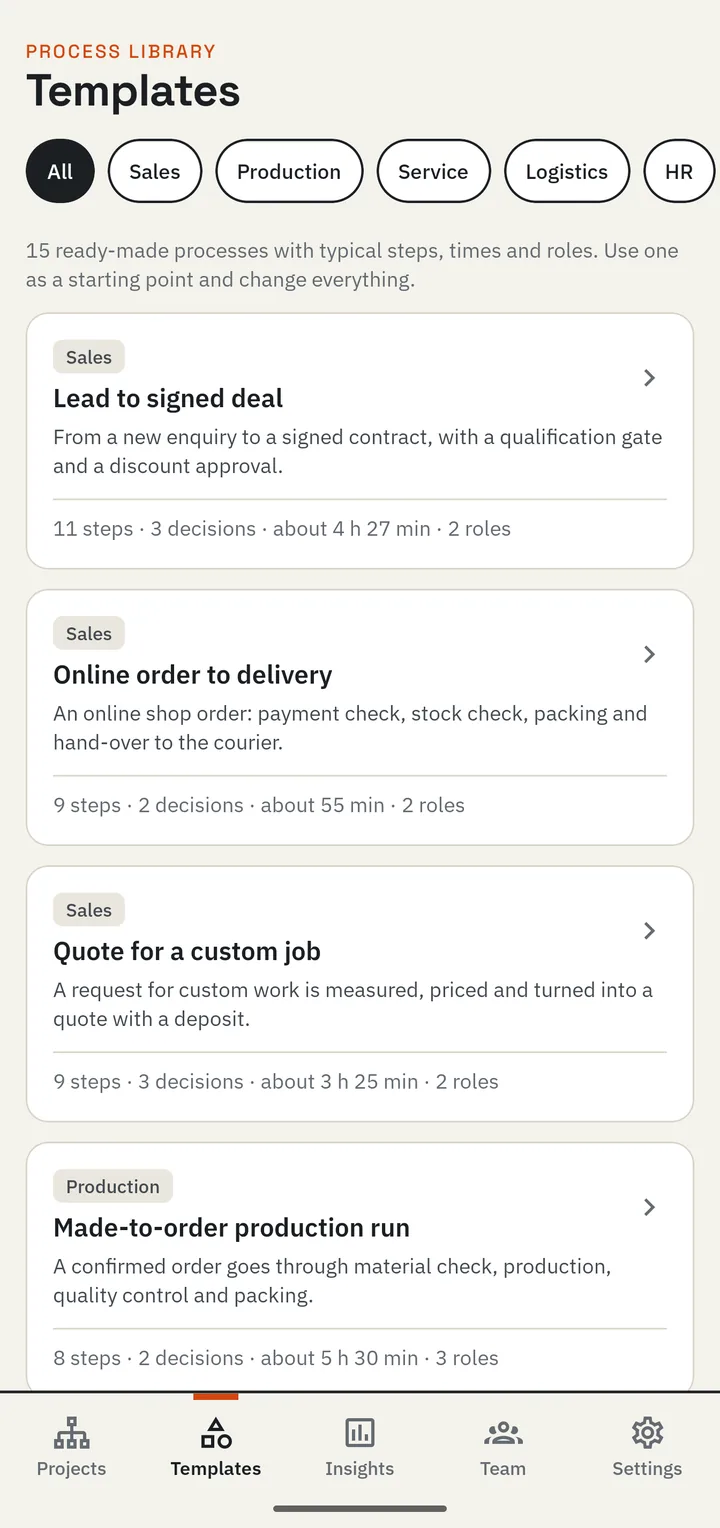
Or start from one of 15 ready processes
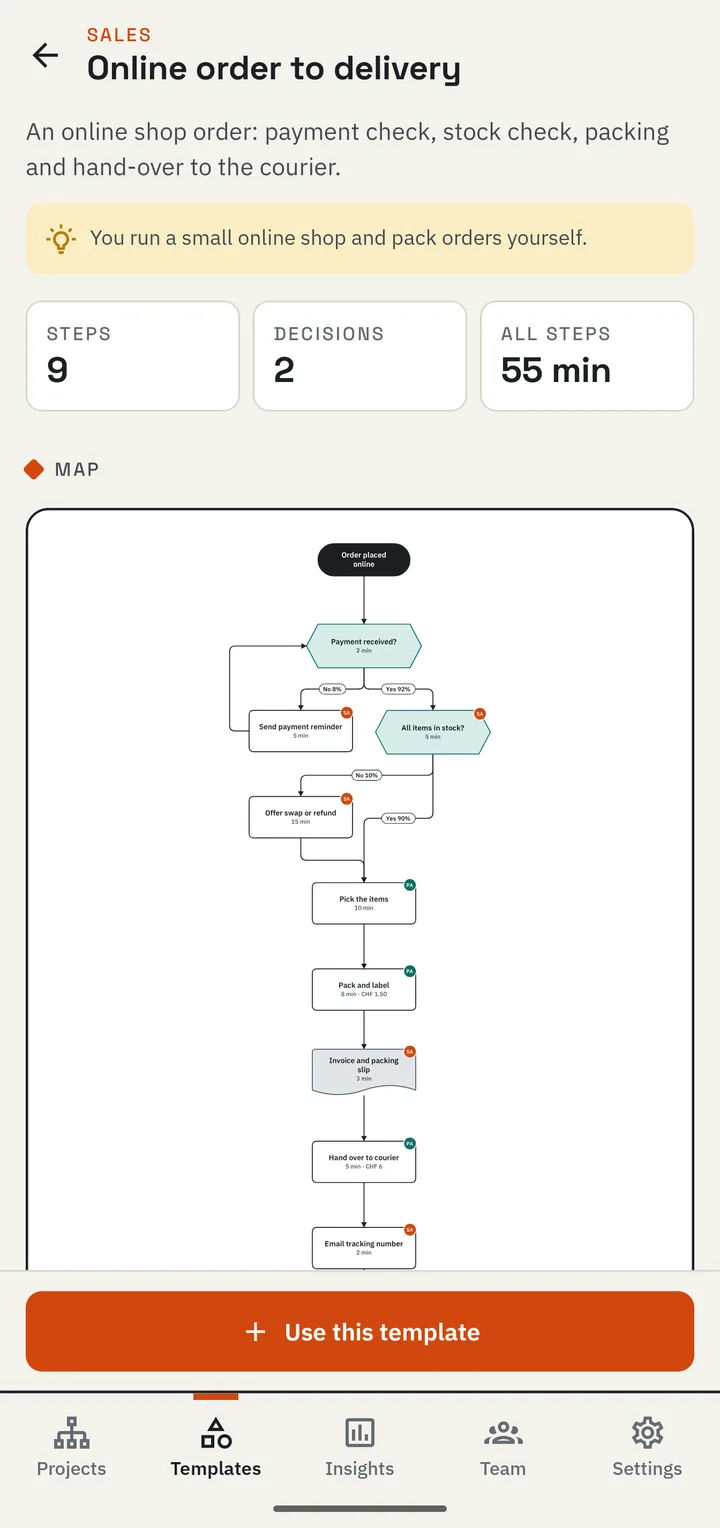
Each template comes with typical steps, durations, roles and a control checklist. Treat it as a first draft: everything can be changed.
Sales
- Lead to signed deal
- Online order to delivery
- Quote for a custom job
Production
- Made-to-order production run
- Quality issue and corrective action
- Purchasing materials
Customer service
- Support request handling
- Complaint and refund
- New client onboarding
Logistics
- Goods receiving
- Pick, pack and dispatch
- Customer return
People & HR
- Hiring a new employee
- First week of a new employee
- Leave request approval
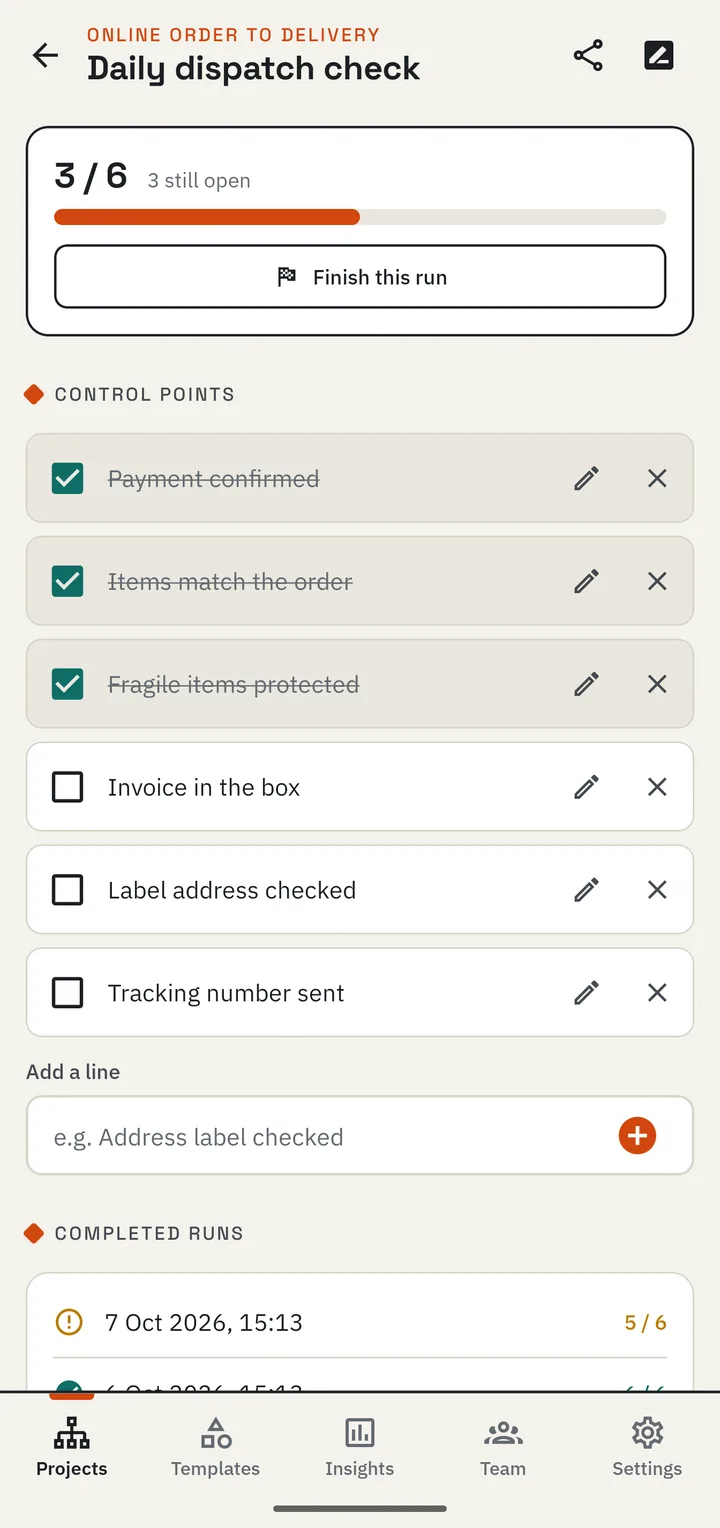
06 · Control and share
Tick it off on every run, then hand it to the team
Turn the steps of a process into a checklist. Tick it while the work is done, finish the run, and the app keeps the date and the result.
The map leaves the phone when you say so
- An A4 report with the map, the step table and the findings.
- PNG
- The map as an image.
- Straight to the Android print dialog.
- Text
- The step list or a checklist as plain text.
Also in the app
- Team
- People or roles with an hourly rate, the steps they own and their time per run.
- Insights
- Mapped time and cost across all projects, by process, by area and by person.
- Currencies
- CHF, EUR, USD or GBP, and a work day of the length you set.
- Sample project
- A small online coffee shop, mapped and ready to take apart before you map your own.
- Backup file
- Save everything to a file and restore it later, for example on a new phone.
Your data
How your business runs is nobody else’s business
Projects, maps, team members and hourly rates are stored only on your phone. A file leaves it only when you export or share it yourself. The details are in the privacy policy.
- No account
- Nothing to sign up for. Open the app and start drawing.
- No internet permission
- The app cannot contact any server, including ours.
- No ads, nothing to buy
- No advertising, no purchases, no subscriptions.
- No analytics
- No tracking and no crash reporting of any kind.
Start with the process that annoys you most.
Coming soon to Google Play
Free for Android, in English. Questions or suggestions: [email protected]